Tech tutorial video maker — Terracotta studio style
Make a tech tutorial video with UI cards floating in light 3D on cream: numbered labels, rolling counters, terracotta plates and italic serif captions.
Starter ile dahil, 27 stilin tamamı ve kendi stiliniz · önizleme ClipOnIt motoruyla oluşturuldu
Bu stil nasıl görünür
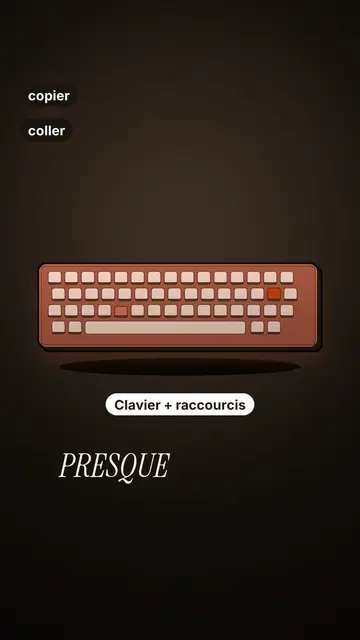
Terracotta studio explains a tool as if on a tidy workbench. On a cream background, interface cards float in light 3D, with real perspective and a warm shadow: an app window, a list of steps, an editing timeline, a sound wave drawing itself, a pad of keys lighting up one by one. At the top, a numbered label (“01”, the tool's name, “free”) says where you are and stays put while that tool is discussed. Each card enters on the word that names it.
The promise lands on a solid terracotta plate: an asterisk, an extra-bold grotesque title and an underlined italic serif word. The key number rolls in a giant counter above a floor of small cards in perspective. Small labels pop around the cards on the strong words, and captions run word by word in uppercase italic serif, the key word in terracotta. The end shows a numbered card and a button that lights up and then gets clicked.
Uygun konular
Avoid: stories carried by characters, places or emotions: the style shows interfaces, lists and numbers, not scenes from life. Also avoid topics without steps or a concrete tool; a card should always show something you can do.
- Tool tutorialsEach tool gets its numbered label and its cards: viewers follow the order without getting lost, even in 30 seconds.
- Tech tipsA shortcut, a hidden setting, a command: the lit keys and the window show the exact move.
- How things workA search, a sound, an edit: the card filling up shows the mechanism step by step.
- Free tools and app round-ups“3 free tools”, “5 apps to install”: the plate announces the number, the end card sums up the list.
Bu stilde video fikirleri
- 3 keyboard shortcuts that save time
The lit keys, the closed-tabs window, the clipboard history and the card to keep.
- 5 free sites to find sounds
One label per site, the wave drawing itself, the counter of royalty-free sounds and the final list.
- How AI finds an image in one second
The typed search, the scrolling film strip, the image at the exact frame and the accuracy score.
- Editing a video on your phone
The timeline where clips stack up, the sound meter and the “Export” button clicked at the end.
1 tıklamada al
- Bu stilin bağlantısını aç
“Bu stilde video oluştur” düğmesi, bu stil seçili halde düzenleyiciyi açar. Hesabın yoksa kayıt olmak bir dakika sürer ve kart gerektirmez.
- Konunu tek cümlede yaz
Tek bir fikir yeter. Metnini de yapıştırabilir ya da Starter'dan mikrofona konuşabilirsin: video sesine göre oluşur.
- Gözden geçir, sonra oluştur
Yapay zeka sahneleri yazar, stilin öğelerini seçer ve bunları kelimelere göre zamanlar; ses ve altyazı ekler. Yanlış olanları düzeltirsin, ardından dikey MP4 birkaç dakika içinde gelir.
Ayarlayabileceklerin
For each scene you pick one to three cards out of twelve (window, list, timeline, wave, pads, counter, meter, score, numbered frames, search, film strip or a library element), the numbered label for that part, up to three small labels and the word where each one appears. A terracotta plate carries the promise, a number shot rolls the key figure, and the end card lists your tools with a button. Your own voice works too: everything locks onto the spoken words.
Bu stilde çizilmiş
Kütüphanesinde 9 517 öğe, anlamla aranabilir. Bunlardan birkaçı:
 Karakterler
 Cihazlar
 Belgeler ve mekânlar
 Veriler
 Dekorlar
 Arayüzler
 Bilim
 Eylemler
Sık sorulan sorular
Ücretsiz ya da değil, çıktı, kullanım: kısa cevaplar.
Do I need screenshots of my tools?
No. The engine draws the interface cards from your text: titles, lines, keys, numbers. No screenshot or brand logo is used.
Kendi sesimi kullanabilir miyim?
Yes. Record yourself or import your audio: every card, every key and every caption word locks onto what you say.
How is it different from Clean interface?
Clean interface tells a story in OS-style windows with a clicking cursor. Terracotta studio is built for tutorials: cards in light 3D, a numbered label per tool, terracotta plates and counters.
Bu stil ücretsiz planda var mı?
Hayır, Starter ($29/ay) ile geliyor: ayda 15 filigransız video, 27 stilin tamamı ve kendi stiliniz. Ücretsiz plan, ayda 3 videoyu 8 diğer stilde filigranlı olarak sunar: Pixel News, Press paper, Comedy cartoon, Class sketch, Night tale, Social screen, Retro synthwave ve Flat vector.
Bu stili beğendiysen
UI motion design explainer video
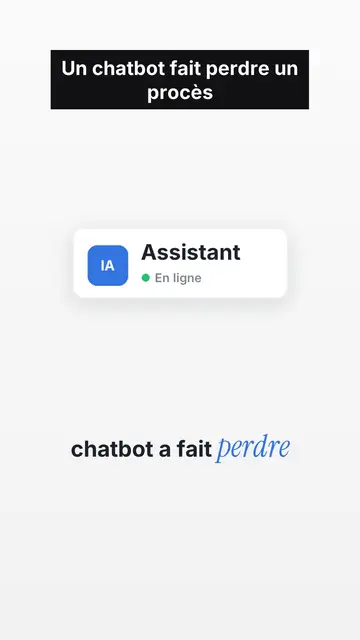
Clean interface style · The story played out in clean interface cards: windows, buttons, a cursor clicking on the word, key word in serif.
Tech top list video yapıcı
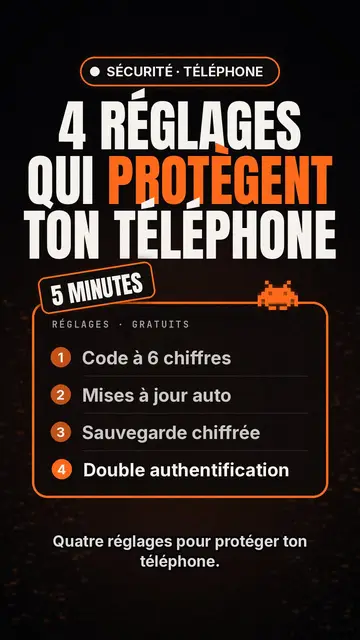
Tech list style · Siyah zeminde Tech kartı, parlayan rozet, numaralı liste.
Kinetic typography video maker
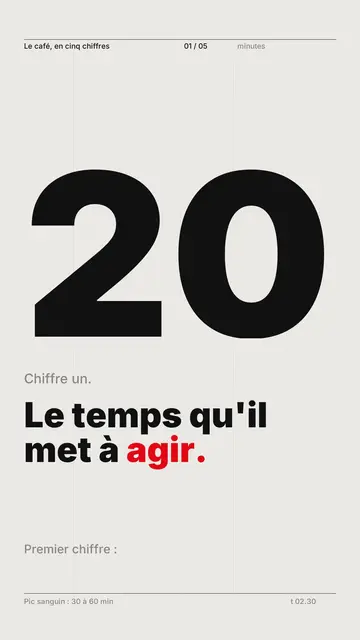
Swiss grid style · İsviçre tipografisi: açık kâğıt, sıkı ızgara, dev rakam, tek sinyal rengi.
Fikrin, bu stilde
Bir cümle yaz ya da söyle: düzenleyiciye geldiğinde stil zaten seçilmiş olur.